
Wisfig field guide · Practical website and search planning
A website redesign SEO checklist: keep the useful history
By Wisfig · Published
A new design does not require a new address for every page. The safest starting point is to understand what already exists, decide what should remain and map any necessary changes before launch.
1. Build the old-to-new inventory
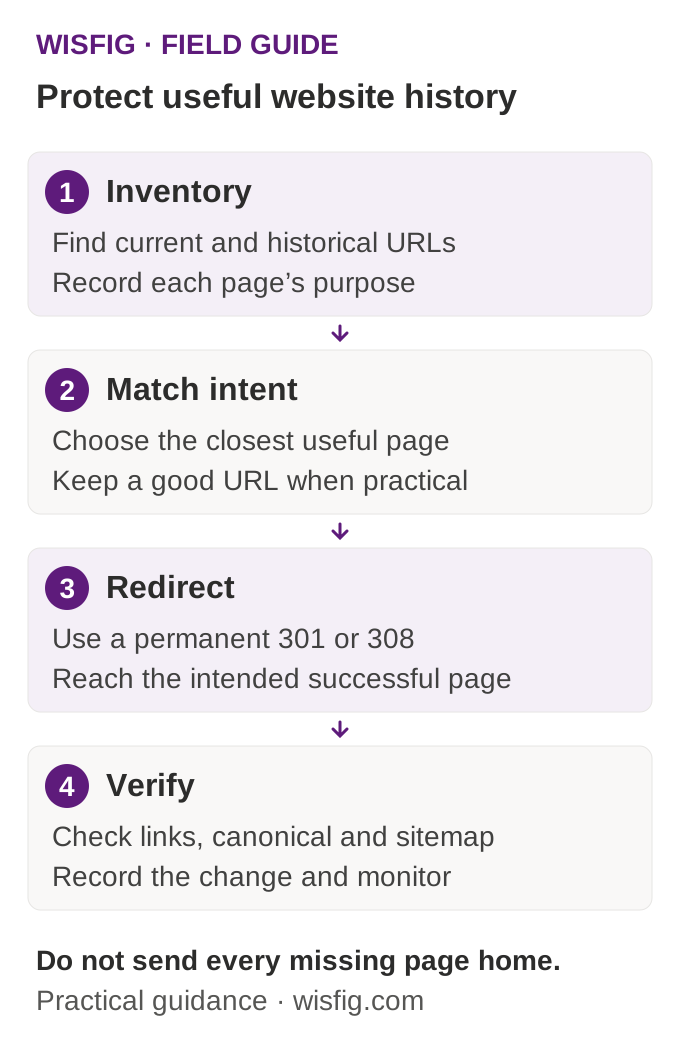
Collect current sitemap URLs, crawlable internal links, Search Console landing pages and known old addresses from previous versions. If available, include server logs and legitimate backlink destinations. Each source finds a different part of the history; a sitemap alone can miss old pages still used by customers.
Record the old URL, its purpose, available traffic or link evidence, and the proposed decision: keep, improve, merge, redirect or genuinely remove. Do not claim an unused page has no value just because it is absent from current navigation.
2. Preserve good URLs where practical
Keep a useful service or article address when its purpose is unchanged. If the page must move, choose the closest real equivalent. A merged article should land on the resource that answers its question, not a homepage that makes the visitor search again.
Google’s site-move guidance recommends mapping old URLs, implementing redirects and updating references. Permanent redirects commonly use HTTP 301 or 308; test the actual response rather than relying on a plugin label.
3. Test the complete destination chain
Follow the old URL to its final response. The target should be the intended successful page, with a self-consistent canonical and content that matches the old intent. Avoid chains caused by moving a page to another alias that then redirects again.
Test common slash variants and the real host behavior. An existing domain-level apex-to-www redirect may be separate from a path move; do not destabilize working hosting just to change a canonical tag in one place.
4. Update the site’s own references
- Navigation, body links, image or download links and calls to action.
- Canonical tags, structured-data URLs and breadcrumbs.
- XML and HTML sitemap discovery, as supported by the platform.
- Business Profile and other owner-controlled links pointing to moved pages.
- Analytics page groups and any conversion flow that depends on an old address.
- Robots and indexing settings appropriate for production, without exposing private or staging pages.
5. Keep real removals honest
Not every historical URL deserves a replacement. An abandoned placeholder, private audit or expired page without a relevant equivalent may need a real 404 or 410 response. Do not redirect every missing address to the home page or serve a successful “not found” template.
Unknown routes should behave differently from restored useful pages. Check this explicitly: a catch-all route can accidentally turn typos and deleted content into indexable soft errors.
6. Verify before and after release
In preview, test known current pages, legacy mappings, unknown URLs, metadata, structured data and the customer path. Keep a rollback version and a record of the exact changes. After deployment, repeat the tests against the public site; a successful build is not a production check.
Track complete reporting periods after launch and annotate the move. Search engines may take time to recrawl, and traffic fluctuations are not automatically proof of a faulty redirect. Use Search Console and other tools to investigate specific URLs.
For a scoped implementation, combine web design with the technical part of SEO services. Do not let new copy distract from recovering a broken historical service route.
Use the guide, then define the work
Browse the Wisfig guide library for related checklists. If you want help applying this to a real website, send the project details and the main service or customer journey you want to improve.